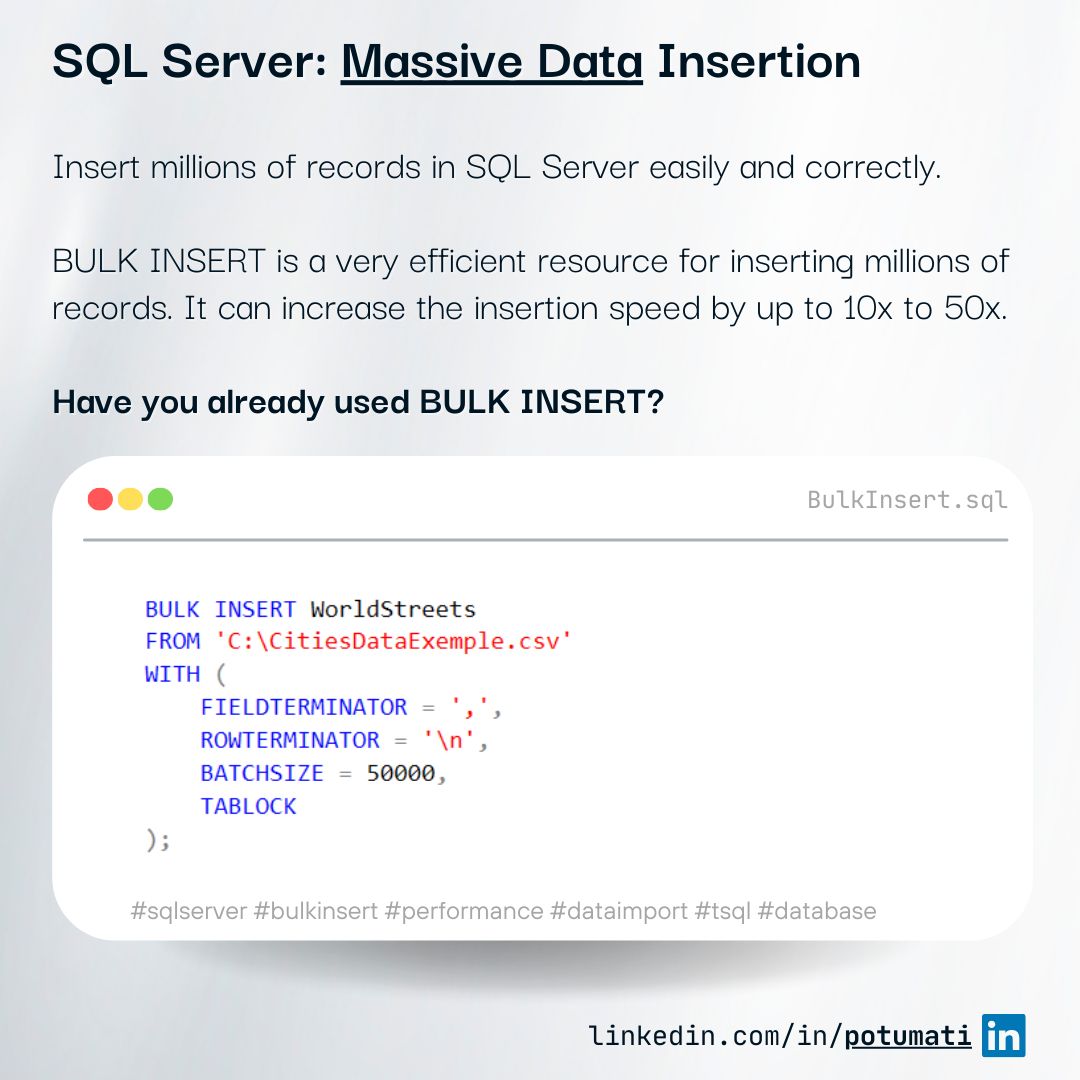
If you’re trying to insert millions of rows using INSERT in a loop, you’re doing it wrong.
A few days ago, I was asked about it. It’s funny how a tool you use usually can slip our mind.
Anyway, BULK INSERT is one of the most efficient ways to load large datasets into SQL Server. It can increase the insertion speed by up to 10x to 50x, which means that it can significantly reduce the time required for the operation.
When used together with TABLOCK, the performance is even better, as SQL Server locks the entire table during the operation. This avoids transaction concurrency and the excess of logs, and avoids the need to manage numerous smaller locks.
| |
Make sure the file encoding and row terminators match your configuration (\r\n vs \n).
Key parameters for BULK INSERT include:
- FIELDTERMINATOR: Defines the character that separates the columns in the text file.
- ROWTERMINATOR: Defines the character that separates the lines (usually
\n, representing the line break). - BATCHSIZE: Defines how many records will be processed per batch. It impacts the performance and the amount of logs generated.
- FIRSTROW: Defines the first row to be processed.
Why is it so fast?
One of the main reasons is minimal logging.
Under the right conditions, SQL Server logs only allocation changes instead of every inserted row. This drastically reduces I/O and improves throughput.
To enable it:
- Use SIMPLE or BULK_LOGGED recovery model
- Use
TABLOCK - Prefer inserting into a heap or empty table
DO NOT use when:
- You need to validate each line.
- There are triggers (complex) on the table.
- You need to insert data into multiple tables.
- The file is not in the same server as the database.
- You need logs of the operation.
- The table has many indexes (can severely degrade performance).
- You need transactional consistency across multiple operations.
What if the data comes from my application?
If the data is not stored in a file accessible by SQL Server, you can use SqlBulkCopy from .NET.
| |
BulkCopyTimeout = 0 is useful for very large loads to avoid premature timeouts.
Of course, it’s slower than BULK INSERT because the data is sent over the network, but it’s still much faster than INSERT in a loop.
To be practical
Before running BULK INSERT in production
- Disable non-essential indexes
- Disable triggers if possible
- Validate file encoding and delimiters
- Ensure enough disk space for the transaction log
- Test with a smaller batch first
👉 Adapted from my original post on LinkedIn .